
Productivity shouldn’t be limited by storage. Backed businesses get 15GB of free storage across Gmail, Google Photos and Drive. Need extra space? If you want more storage, upgrade to Google One and pick plans from 100 GB to up to 2 TB.

That’s where Google Drive enters the modern office. It’s not just a storage system, but an end-to-end cloud-based system for document management, for leaner operations and to bridge more people with what they enjoy doing.
Why Google Drive Just Works
Google Drive handles documents without the bloat or cost of enterprise systems. No servers to buy, no proprietary formats to get stuck in, no complicated infrastructure to maintain.
Set up clean folders, use consistent naming, and you’ve got a searchable archive that works today and migrates easily tomorrow. Your budget stays protected, and you can focus on what actually matters instead of wrestling with overpriced document software.
An Innovative Document Management Software Free for Businesses
Google Drive does more than simply store files—it transforms the way that teams communicate. Through its native collaboration tools and integration with Google Workspace, this cloud document management software enables seamless workflows that unite teams in the office, at home, or in remote workplace locations.
Flexible Storage and Accessibility
Productivity needn’t be limited by storage. Google Drive offers companies 15 GB of free storage between Gmail, Google Photos, and Drive. Need extra space? Upgrade to Google One and choose options ranging from 100 GB to 2 TB.
Local syncing allows desktop and mobile-side access via machines or phones on MacOS, Windows, Android and iOS. Users have unlimited access to company files, keeping projects running smoothly.
Features to Enhance Your Document Management
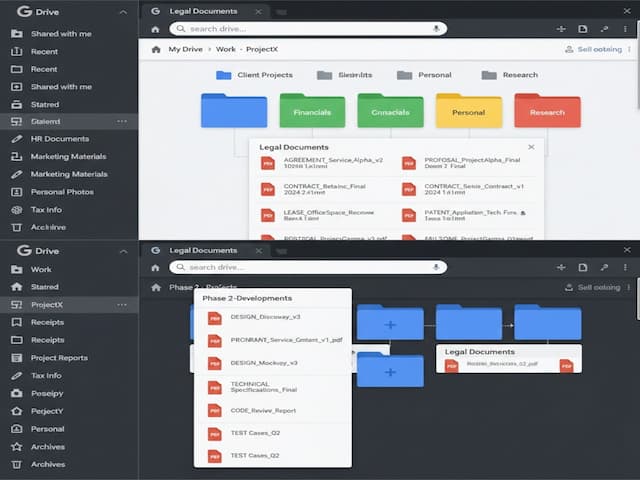
Business document management can get out of hand without effective organization. Folders in Google Drive are a basic way to store files, along with robust search and organizing features – all you need to take your random assortment of documents and turn them into an organized document management system. There is a search facility that enables users to find documents by file name, keyword and content – within seconds – despite the size and complexity of the corporate archive.
A Shared Cloud Document Management Software for Teams
An efficient and effective business depends upon seamless team communication. Google Drive has integrated support for Google Docs, Google Sheets, and Google Slides to allow real-time collaborative editing.
Shared permission controls, commenting features, and version tracking prevent conflicts and unnecessary back-and-forth emails between team members. Changes to documents are adjusted in real-time, keeping the team updated.
Secure Sharing and Permission Control
Access to sensitive information must be carefully monitored and controlled. Google Drive provides permission options where the owner can control who has the authority to view, edit, or comment on a document.
Temporary link sharing offers external stakeholders the functionality to collaborate on document edits for a limited time. This level of control safeguards confidential business information but allows flexibility to facilitate collaboration.
Built-In Version Tracking for Reliability
Google Drive’s revision history avoids permanent loss through the archiving of every document version. Users can track modifications, identify contributors, and restore previous versions when needed. No data loss—no interruption to workflows.
A Safe Framework for Businesses
Data security is non-negotiable. Google Drive encrypts files during transfer and storage to lower risk of unauthorized access and two-factor authentication offers another layer of protection. Google Workspace administrators can implement policies to manage information sharing and tracking to maintain compliance with strict industry regulations.
Automation and Integrations to Enhance Efficiency
Repetitive tasks consume precious time that teams can’t afford to waste. Google Drive features native Google Apps Script integration to support the automation of document-related operations. Need additional functionality? Google Drive offers third-party integrations with Slack, Trello, and Microsoft Office to meet the specific needs of individual businesses.
Where Google Drive Falls Short
While highly practical, Google Drive has some disadvantages. Its metadata tagging capabilities are limited, making it unsuitable for businesses requiring strict compliance processes. Offline capability has great compatibility with Google’s native formats but limited integrations with other file types.
The Ideal Cloud-Based Document Management Software for Business
Not every organization needs an expensive, complex document management system. Google Drive offers an accessible, full-fledged option that supports individuals, start-ups, and small to medium-sized businesses.
Google Drive offers seamless organization, security, and collaboration without a steep learning curve. For users who desire efficiency without unnecessary complexity, Google Drive ranks highly among top free virtual workspaces.